Author Archives: admin

Become a 911 Communications Operator

Interested in Becoming a 911 Communications Operator?

Switzerland County Sheriff’s Office is looking for qualified applicants who are interested in a rewarding career as a 911 Emergency Dispatcher

– Do you have a desire to help others in emergency situations? – Are you a person with the ability to make decisions under pressure? – Are you looking for an unusual, yet rewarding career?

If the answer is “YES” please keep reading:

Switzerland County Sheriff’s Office is now hiring for the position of second shift dispatcher.

Job Description

Operate radio, telephone and computer equipment at our emergency response center. Receive reports from the public on crimes, disturbances, fires and medical or police emergencies. Provide medical instructions to callers as needed. Relay information to law enforcement and emergency response personnel.

Training, Education, and Experience

– Must be a high school graduate.

– Must be able to obtain and maintain Cardiopulmonary Resuscitation (CPR) certification.

– Must successfully complete the IDACS operator course, including passing a nationwide criminal history check.

– Must successfully complete the PowerPhone Emergency Medical Dispatch Course.

Applicants must

– Be willing to work 12-hour rotating shifts, weekends, and holidays

– Have the ability to multitask.

– Be able to work both independently and as part of a dynamic team.

– Be resourceful and respond well to pressure situations.

– Have exceptionally strong computer skills.

– Work cooperatively with other agencies.

– Have exceptional speaking and active listening skills.

– Be dependable/reliable.

– Perform other related duties as needed.

The job offers full benefits including health insurance, paid vacation, and sick leave.

The approximate starting rate is $17+ per hour, depending on training or experience.

You can pick up an application in the lobby of the: Switzerland County Sheriff’s Office 405 Liberty Street Vevay, Indiana 47043

We will be accepting applications until January 1st, 2024 If you have any questions, please call 812-427-3636.

If you would like an application e-mailed to you, send a request to emily.prarat@scso-in.org

Check out our Facebook page to see updated road closure information and Sheriff’s Office announcements!

https://www.facebook.com/switzerlandcosheriffsoffice

The Switzerland County Sheriff’s Office Facebook page was created to help keep the community informed of different events, news, and activities. This page is not a crime reporting page as it is not monitored 24/7, so in the event you need emergency services, please call 911. If you have non-emergent information you would like to report, please contact the dispatch center at 812-427-3636. Please call 812-427-2057 if you have any questions regarding the jail, inmates (including visitation, commissary, phone cards, bonds, charging information, mugshot requests, etc.), or jail employment opportunities.
 
Please remember when commenting, the use of foul language or derogatory comments will not be permitted and will be removed. This page is not intended for complaints against our officers or this office, and such comments will be removed. We have a procedure in place for those issues (please contact the Sheriff at 812-427-3636 regarding those issues).
 
We also realize many citizens in the community are friends, relatives, or know the Deputies personally; however, we ask if you need immediate assistance or wish to report something, please contact dispatch directly. The Deputies may be on their day off, vacation, family outing, etc. and we would not want to delay a response or assistance if needed.
 
Sincerely, Sheriff Brian L. Morton

Bond Information

Bail sign.Any inmate who has a bond set either by the Judge or by a bond schedule will be eligible to bond out of jail.  An inmate’s bond can be paid at any time.  Contacting a bondsman is the responsibility of either the inmate or a family member.  CASH ONLY bonds can be paid directly to the jail without going through a bondsman.  Have EXACT AMOUNT OF CASH when bonding an inmate out of jail.  NO PERSONAL CHECKS ARE ACCEPTED.

For your convenience, the following bonding agents are approved to execute bonds with this facility:

Bob Neeley Bail Bonding                  513-310-6563

Barney’s Bail Bonding                       513-313-2955  or  800-490-1535

Freebird Bail Bonding                       812-413-3112

Gary Good                                          800-320-6928  or  812-537-4007

John Stewart                                      812-599-4098

Lady Liberty Bail Bonding                812-599-3722

Mark Sutter                                       812-273-5473  or  812-871-6868

Web Bail Bonding                            866-647-4447  or  812-537-4447

NOTE –  The Switzerland County Jail does not endorse any one bondsman over another.


You can contact the facility with any questions not covered in the information above the following two ways:

Immediate inquiries                                               Jail Phone Line (812) 427-2057

Email inquiries (no immediate response)              LuAnn Schaefer, Jail Commander


General Inmate Information

Prison interior

 MAIL

Please address all mail in the following manner:

 Inmate’s Name
 C/O Switzerland County Jail
 405 Liberty Street
 Vevay, IN 47043


All incoming mail must have the sender’s full name and return address on the outside of the envelope or the mail will not be delivered to the inmate.  All incoming mail will be opened by the jail staff and inspected for contraband or funds.  The only items that may be  mailed to an inmate are soft cover books (only if mailed directly from the publisher), letters, cash, money orders or stamps.  Colored pages or computer printed materials will not be delivered.  Attorney client correspondence will be opened in the presence of the inmate to whom it is addressed.

 RELEASED INMATE PROPERTY

Property of a released inmate will be given to them upon release from our facility.  If the inmate is released from another facility, the property will be held for up to one year.  Any items not picked up after one year will be destroyed.

 MONEY

Money can be placed on an inmate’s account at any time.  $10 and $20 phone cards may be purchased through jail staff at any time and are distributed to the inmates once a day. Note: Exact change is required.

 COMMISSARY

Inmates will have access to commissary three (3) times per week on Mondays, Wednesdays and Fridays unless under disciplinary action for violation of a jail rule.  Commissary may not be available on select holidays.


You can contact the facility with any questions not covered in the information above the following two ways:

Immediate inquiries                                               Jail Phone Line (812) 427-2057

Email inquiries (no immediate response)              LuAnn Schaefer, Jail Commander


Useful Websites


www.Snopes.com   (website to find out if that e-mail or internet story is real)

www.TripAdvisor.com   (The most popular site for advice when you travel)

www.KidsHealth.org   (website for parents, kids, teenagers, educators)

www.narconon.org  (Useful information on different drugs from Narconon International)

http://pact360.org  (Police and Community Together website – Excellent site for drug education materials)


Internet Safety


Parent Internet Safety

 INTERNET SAFETY TIPS FOR CHILDREN AND TEENS

  •  Personal Information. Don’t give out personal information without your parents’ permission. This means you should not share your last name, home address, school name, or telephone number. Remember, just because someone asks for information about you does not mean you have to tell them anything about yourself!
  • Screen Name. When creating your screen name, do not include personal information like your last name or date of birth.
  • Passwords. Don’t share your password with anyone but your parents. When you use a public computer make sure you logout of the accounts you’ve accessed before leaving the terminal.
  • Photos. Don’t post photos or videos online without getting your parents’ permission.
  • Online Friends. Don’t agree to meet an online friend unless you have your parents’ permission. Unfortunately, sometimes people pretend to be people they aren’t. Remember that not everything you read online is true.
  • Online Ads. Don’t buy anything online without talking to your parents first. Some ads may try to trick you by offering free things or telling you that you have won something as a way of collecting your personal information.
  • Downloading. Talk to your parents before you open an email attachment or download software. Attachments sometimes contain viruses. Never open an attachment from someone you don’t know.
  • Bullying. Don’t send or respond to mean or insulting messages. Tell your parents if you receive one. If something happens online that makes you feel uncomfortable, talk to your parents or to a teacher at school.
  • Social Networking. Many social networking websites (e.g., Facebook, Twitter, Second Life and MySpace) and blog hosting websites have minimum age requirements to signup. These requirements are there to protect you!
  • Research. Talk to your librarian, teacher or parent about safe and accurate websites for research. The public library offers lots of resources. If you use online information in a school project make sure you explain where you got the information.


INTERNET SAFETY TIPS FOR PARENTS

The computer should be in an open area, not in a child’s room. “You don’t want to spy on your kids or peer over their shoulder, but you want them to know you’re in the room.”

Assure your children that you know you can count on them to use the Internet responsibly. “Kids need to feel they’re trusted.”

Set clear expectations for your child, based on age and maturity. Does your child have a list of websites she needs to stick with when doing her research? Is she allowed to use a search engine to find appropriate sites? Is your child allowed to visit social networking sites such as Facebook, Twitter and MySpace? What sites is she allowed to visit just for fun? Write down the rules and place them next to the computer. Your child’s teacher should be able to advise you on which sites are appropriate for schoolwork and educational fun.

Use filtering software designed to help parents limit the websites children can access. Some programs have monitoring features that can tell you which sites your child visits and can even send you a message letting you know your child is online. (While such programs have come a long way since the early bug-ridden days, they are not a substitute for supervision and communication.)

Tell your child if you are using software to track her online activity. Remind him that you are not spying; you are keeping him safe. Tell him that protecting him is your job as a parent.

Stay involved with your child’s school by remaining in close contact with your child’s teachers and counselors. If trouble is brewing among students online, it probably started at school. Knowing what’s going on at school will increase the chances that you’ll hear about what’s happening online.

A growing concern with kids and the Internet is online bullying. Ask your child specific questions about whether he is being bullied at school or online. Talk about your own experiences in school with bullying, letting him know you know it goes on. Assure him that you won’t try to fix the problem, if it is happening, without talking to him first.

Parents often worry about their child being bullied, but they don’t readily consider that their child could be a bully. Talk to your child about why it is not OK to bully other children, online or in person. “Teach compassion and kindness.  From the get-go, they will know that being a bully…doesn’t feel good.”

Tell your child that people who introduce themselves on the Internet are often not who they say they are. Show your child how easy it is to assume another identity online. Don’t assume your child knows everything about the Internet. Kids are naturally trusting.

Instruct your child to never give out personal information online, including her full name, gender, age, school, address, or teams. Teach your child to be generic and anonymous on the Internet.


Stop Cyber Bullying

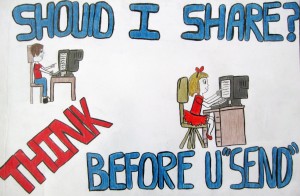
Should I Share